Find answers about Aqualix salt systems,installation,compatibility,and maintenance.
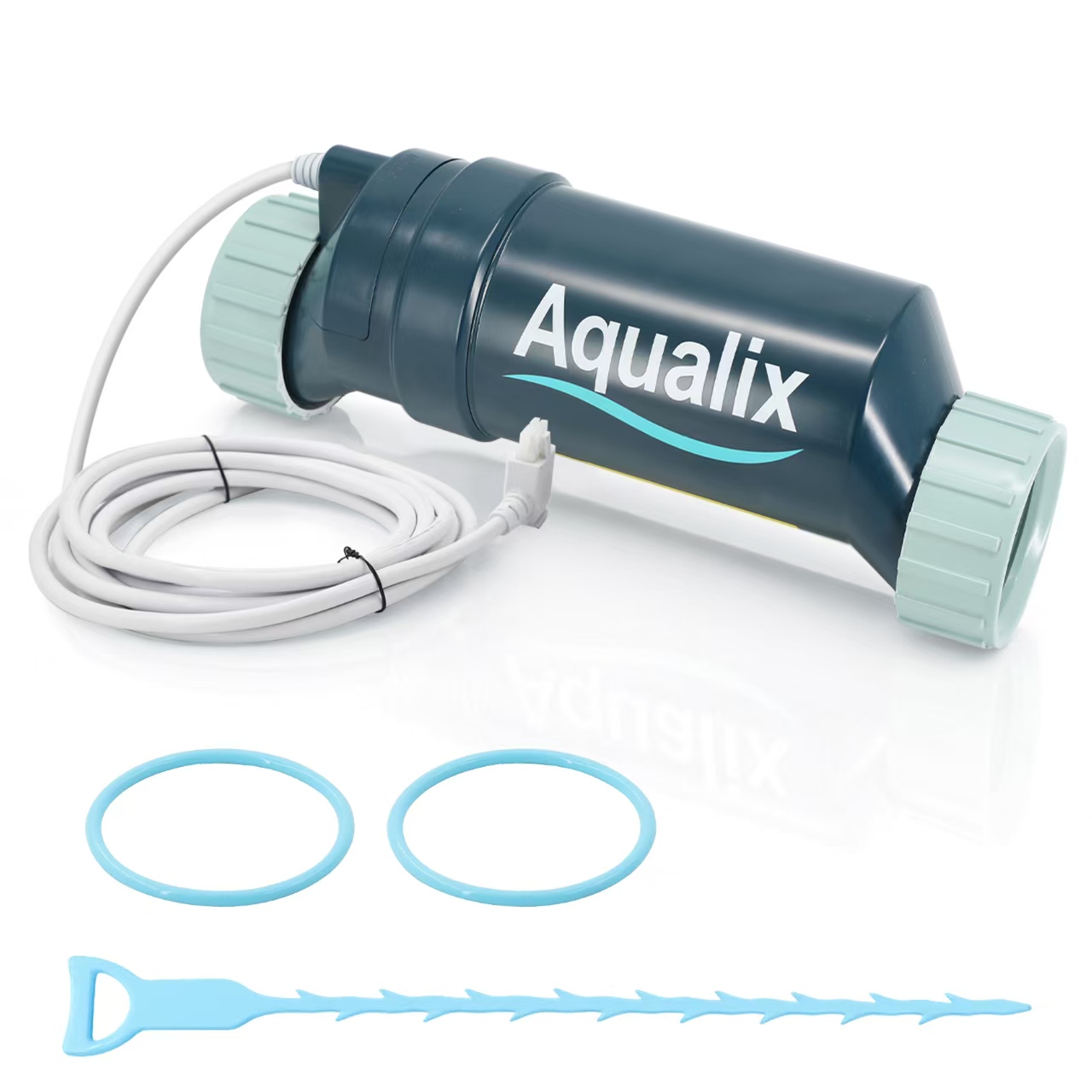
Salt Cell Replacement
Salt Cell Replacement
🛒 BEFORE PURCHASE
Q1. Why is my salt system showing "Check Salt" or "Low Salt" after installing a new cell? A: After replacing the salt cell, the system may need time to update the salt reading. Please check the following: Verify the actual salt level in the pool Confirm the correct cell type is selected in the controller Ensure the cell cable is properly connected Reset the average salt reading if required If the issue continues, inspect the cell for scaling or debris buildup.
Q2. Why is my new salt cell not producing enough chlorine? A: Low chlorine production can be caused by several factors: Incorrect cell size selection Low salt concentration Incorrect chlorine output setting Poor water chemistry balance Dirty cell plates Check that your salt level, pH, and chlorine output settings are within the recommended range.
Q3. How do I clean my salt cell? A: Follow these steps: Turn off the pool pump and salt system power. Remove the salt cell from the plumbing. Inspect the cell plates for calcium buildup. Clean the cell according to manufacturer recommendations. Reinstall the cell and restart the system. Regular inspection helps extend cell lifespan.
Q4. Why does the salt reading seem inaccurate? A: Incorrect salt readings may occur because of: Recently added salt Unbalanced pool chemistry Dirty cell plates Incorrect cell configuration Allow the salt to fully dissolve and verify the controller settings before recalibrating.
Q1. Why is my salt system showing "Check Salt" or "Low Salt" after installing a new cell? A: After replacing the salt cell, the system may need time to update the salt reading. Please check the following: Verify the actual salt level in the pool Confirm the correct cell type is selected in the controller Ensure the cell cable is properly connected Reset the average salt reading if required If the issue continues, inspect the cell for scaling or debris buildup.
Q2. Why is my new salt cell not producing enough chlorine? A: Low chlorine production can be caused by several factors: Incorrect cell size selection Low salt concentration Incorrect chlorine output setting Poor water chemistry balance Dirty cell plates Check that your salt level, pH, and chlorine output settings are within the recommended range.
Q3. How do I clean my salt cell? A: Follow these steps: Turn off the pool pump and salt system power. Remove the salt cell from the plumbing. Inspect the cell plates for calcium buildup. Clean the cell according to manufacturer recommendations. Reinstall the cell and restart the system. Regular inspection helps extend cell lifespan.
Q4. Why does the salt reading seem inaccurate? A: Incorrect salt readings may occur because of: Recently added salt Unbalanced pool chemistry Dirty cell plates Incorrect cell configuration Allow the salt to fully dissolve and verify the controller settings before recalibrating.
🛠 AFTER PURCHASE
Q1. My new salt cell is installed, but it is not producing chlorine. What should I check? A: Please check the following:Confirm the salt cell model matches your controller setting. Make sure the cell cable is connected correctly. Verify the pool salt level is within the recommended range. Check that sufficient water flow passes through the cell. Inspect the cell plates for calcium buildup. An incorrect cell configuration may cause inaccurate salt readings, improper operation, or system shutdown.
Q2. Why does my system show "Check Salt" after replacing the salt cell? A: This usually happens because the controller has not updated the new cell information. Please check: Confirm the actual pool salt level. Confirm the installed cell type matches the controller setting. Clean the cell if mineral buildup exists. Reset the average salt reading after replacing the cell. The salt reference may need to be reset after initial installation or cell replacement.
Q3. Why does my salt reading show incorrect numbers? A: Possible causes include: Incorrect cell model selection Dirty cell plates Salt level changes not yet updated Controller calibration required After adding salt or replacing a cell, allow the system time to update the reading and reset the salt reference if needed.
Q4. Why is chlorine production lower than expected? A: Low chlorine output can be caused by: Low salt concentration Low pump runtime Low chlorine output setting High pool temperature Calcium buildup on cell plates Aging cell For variable-speed pumps, ensure the cell receives enough water flow at low speed operation.
Q5. How often should I clean the salt cell? A: Cleaning frequency depends on: Pool water chemistry Calcium hardness Mineral buildup Inspect the cell when chlorine production decreases or salt accuracy becomes unstable. Do not clean unnecessarily because frequent acid cleaning may shorten cell life.
Q6. Why is my salt cell leaking? A: Check: O-rings are installed correctly O-rings are not damaged Cell unions are tightened properly
Tighten collars by hand only. Over-tightening may damage the seal.
Q1. My new salt cell is installed, but it is not producing chlorine. What should I check? A: Please check the following:Confirm the salt cell model matches your controller setting. Make sure the cell cable is connected correctly. Verify the pool salt level is within the recommended range. Check that sufficient water flow passes through the cell. Inspect the cell plates for calcium buildup. An incorrect cell configuration may cause inaccurate salt readings, improper operation, or system shutdown.
Q2. Why does my system show "Check Salt" after replacing the salt cell? A: This usually happens because the controller has not updated the new cell information. Please check: Confirm the actual pool salt level. Confirm the installed cell type matches the controller setting. Clean the cell if mineral buildup exists. Reset the average salt reading after replacing the cell. The salt reference may need to be reset after initial installation or cell replacement.
Q3. Why does my salt reading show incorrect numbers? A: Possible causes include: Incorrect cell model selection Dirty cell plates Salt level changes not yet updated Controller calibration required After adding salt or replacing a cell, allow the system time to update the reading and reset the salt reference if needed.
Q4. Why is chlorine production lower than expected? A: Low chlorine output can be caused by: Low salt concentration Low pump runtime Low chlorine output setting High pool temperature Calcium buildup on cell plates Aging cell For variable-speed pumps, ensure the cell receives enough water flow at low speed operation.
Q5. How often should I clean the salt cell? A: Cleaning frequency depends on: Pool water chemistry Calcium hardness Mineral buildup Inspect the cell when chlorine production decreases or salt accuracy becomes unstable. Do not clean unnecessarily because frequent acid cleaning may shorten cell life.
Q6. Why is my salt cell leaking? A: Check: O-rings are installed correctly O-rings are not damaged Cell unions are tightened properly
Tighten collars by hand only. Over-tightening may damage the seal.
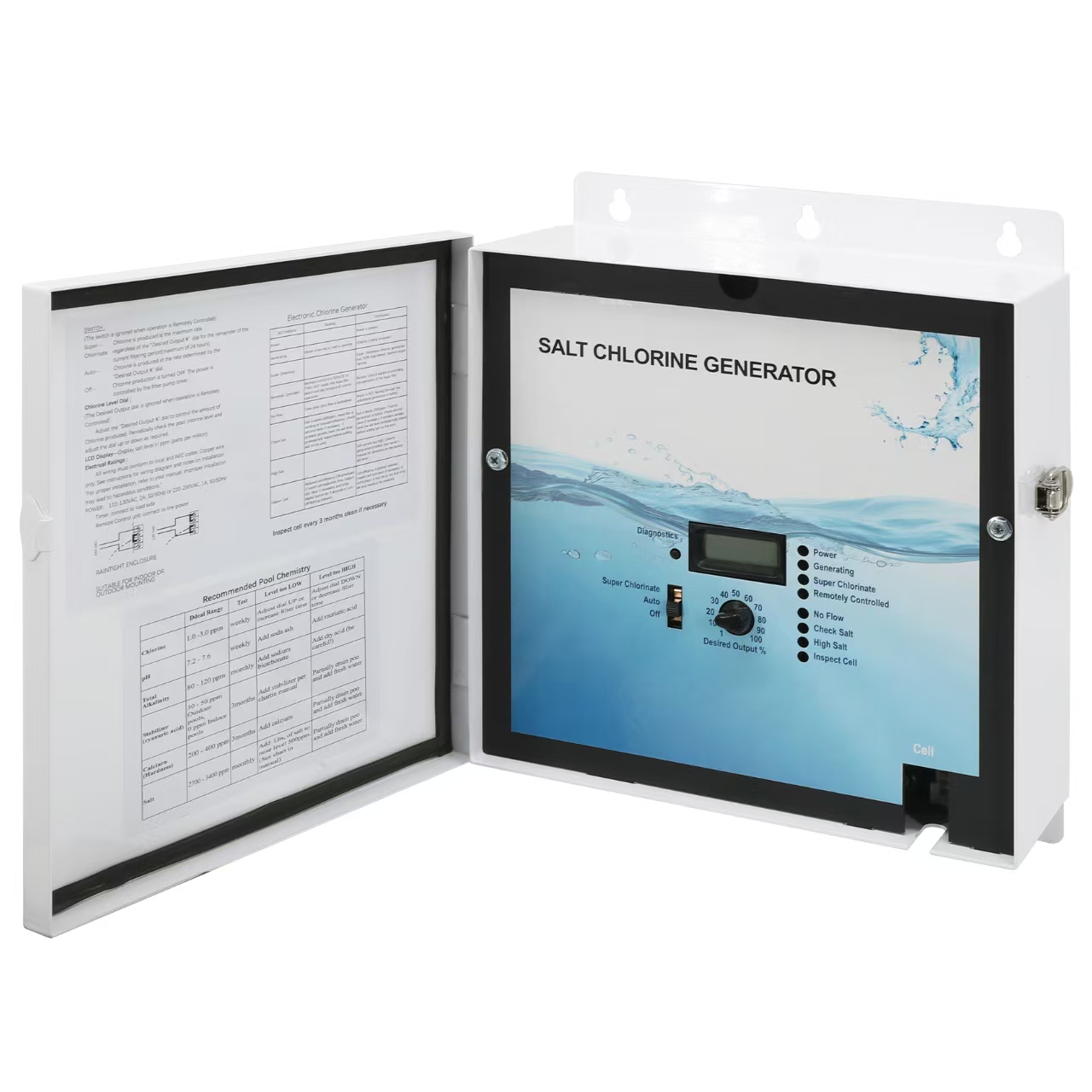
Salt Chlorination Control Unit
Salt Chlorination Control Unit
🛒 BEFORE PURCHASE
Q1. Why is my controller displaying "No Flow"? A: A "No Flow" warning usually indicates that the system cannot detect proper water circulation. Please check: Pool pump operation Water flow direction Flow sensor connection Blockages in the plumbing system Air trapped in the circulation line Make sure water is flowing normally before restarting the system.
Q2. Why does the controller show "Check Salt" or "High Salt"? A: Possible causes include: Incorrect salt level in the pool Incorrect cell type setting Dirty salt cell Salt reading not recalibrated Test the actual salt concentration and confirm your controller settings.
Q3. The display is on but the system is not generating chlorine. What should I check? A: Please check: Is the "Generating" indicator active? Is the chlorine output level set correctly? Is the salt cell connected properly? Is the water temperature within operating range? The system requires proper water flow and balanced chemistry to produce chlorine.
Q4. How do I reset the controller after installation? A: After replacing the controller: Confirm wiring connections. Select the correct salt cell model. Verify salt level. Reset average salt reading if needed. Run the system and confirm normal operation.
Q1. Why is my controller displaying "No Flow"? A: A "No Flow" warning usually indicates that the system cannot detect proper water circulation. Please check: Pool pump operation Water flow direction Flow sensor connection Blockages in the plumbing system Air trapped in the circulation line Make sure water is flowing normally before restarting the system.
Q2. Why does the controller show "Check Salt" or "High Salt"? A: Possible causes include: Incorrect salt level in the pool Incorrect cell type setting Dirty salt cell Salt reading not recalibrated Test the actual salt concentration and confirm your controller settings.
Q3. The display is on but the system is not generating chlorine. What should I check? A: Please check: Is the "Generating" indicator active? Is the chlorine output level set correctly? Is the salt cell connected properly? Is the water temperature within operating range? The system requires proper water flow and balanced chemistry to produce chlorine.
Q4. How do I reset the controller after installation? A: After replacing the controller: Confirm wiring connections. Select the correct salt cell model. Verify salt level. Reset average salt reading if needed. Run the system and confirm normal operation.
🛠 AFTER PURCHASE
Q1. Why does my salt system show "No Flow"? A: The system stops chlorine production when insufficient water flow is detected. Please check: Pool pump is running Flow sensor connection Flow direction arrow Plumbing blockage Water circulation A proper water flow is required before chlorine production starts.
Q2. The controller has power but does not generate chlorine. Why? A: Check: Main switch is not set to OFF Chlorine output percentage is set correctly Salt level is within range Cell connection is secure Water temperature is suitable The system will stop producing chlorine under certain low-temperature conditions.
Q3. Why does the display show "Low Salt"? A: Possible reasons: Pool salt level is below recommended range Incorrect cell type configuration Salt reading needs recalibration Dirty salt cell Test the actual salt concentration before adding large amounts of salt.
Q4. Why does the display show "High Salt"? A: Possible causes: Excess salt concentration Incorrect cell selection Incorrect salt reading Reduce salt concentration by partially draining pool water and adding fresh water.
Q5. Why is the "Inspect Cell" light on? A: The system may detect: Calcium buildup Reduced cell efficiency Cell aging Remove and inspect the cell. Clean if necessary and restart the system.
Q6. Why is the "Generating" light flashing? A: The pool water temperature may be outside the operating range.
The system may temporarily stop chlorine generation to protect the equipment.
Q1. Why does my salt system show "No Flow"? A: The system stops chlorine production when insufficient water flow is detected. Please check: Pool pump is running Flow sensor connection Flow direction arrow Plumbing blockage Water circulation A proper water flow is required before chlorine production starts.
Q2. The controller has power but does not generate chlorine. Why? A: Check: Main switch is not set to OFF Chlorine output percentage is set correctly Salt level is within range Cell connection is secure Water temperature is suitable The system will stop producing chlorine under certain low-temperature conditions.
Q3. Why does the display show "Low Salt"? A: Possible reasons: Pool salt level is below recommended range Incorrect cell type configuration Salt reading needs recalibration Dirty salt cell Test the actual salt concentration before adding large amounts of salt.
Q4. Why does the display show "High Salt"? A: Possible causes: Excess salt concentration Incorrect cell selection Incorrect salt reading Reduce salt concentration by partially draining pool water and adding fresh water.
Q5. Why is the "Inspect Cell" light on? A: The system may detect: Calcium buildup Reduced cell efficiency Cell aging Remove and inspect the cell. Clean if necessary and restart the system.
Q6. Why is the "Generating" light flashing? A: The pool water temperature may be outside the operating range.
The system may temporarily stop chlorine generation to protect the equipment.
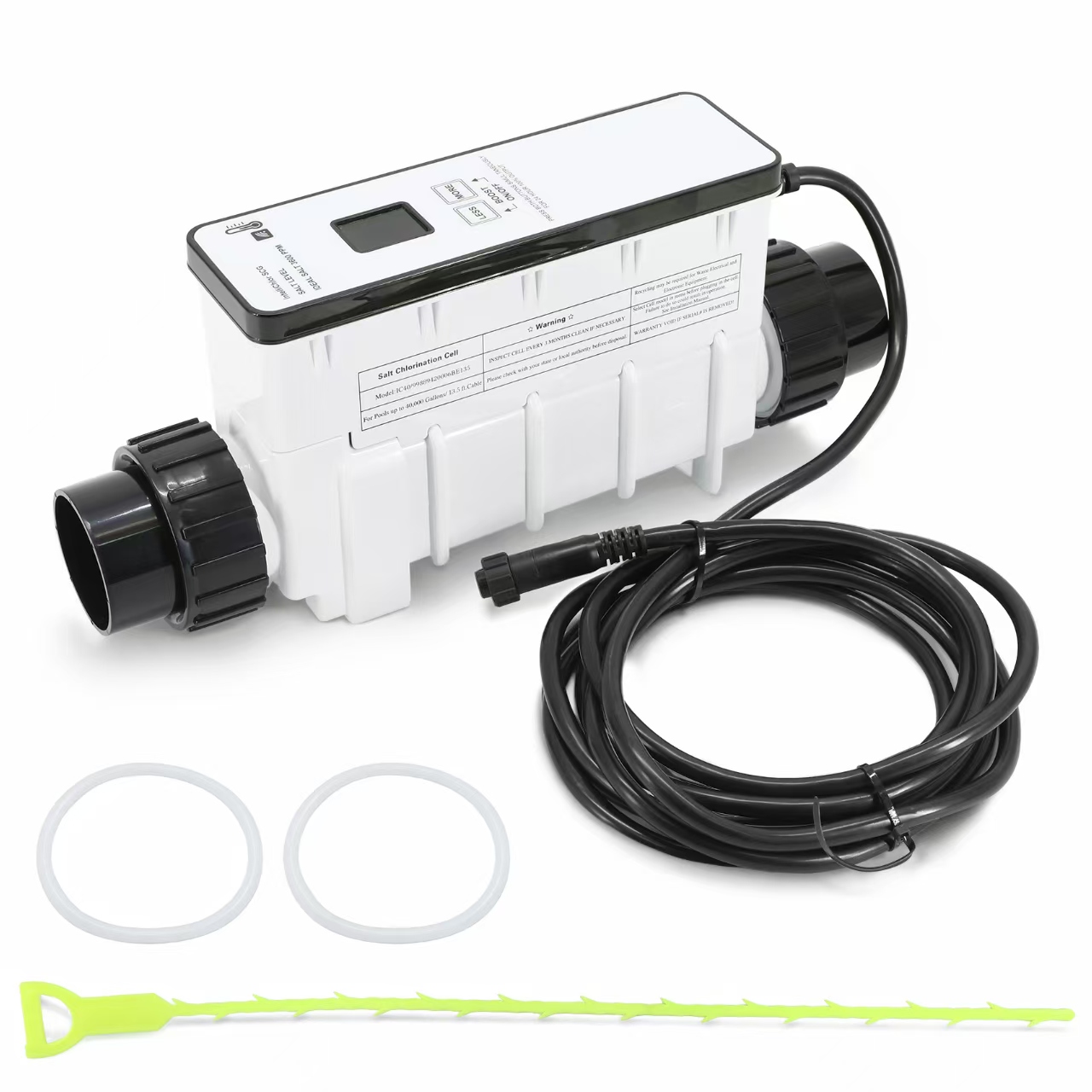
Pentair IntelliChlor Series Salt Cell Replacement
Pentair IntelliChlor Series Salt Cell Replacement
🛒 BEFORE PURCHASE
Q1. Why is my Pentair salt system not generating chlorine after replacement? A: Check the following: Confirm the replacement cell matches your IntelliChlor model. Verify the power connection. Check salt level in the pool. Ensure the cell is installed in the correct flow direction. Confirm the system is not showing an error warning.
Q2. Why are the salt level readings incorrect? A: Incorrect readings may result from: Salt not fully dissolved Dirty electrode plates Water chemistry imbalance Need for system recalibration Test the pool salt level independently and compare it with the system reading.
Q3. How often should I inspect or clean the salt cell? A: We recommend checking the cell periodically during the swimming season. Inspection frequency depends on: Pool usage Water hardness Calcium buildup conditions Chemical balance Regular maintenance helps improve chlorine production and extend cell life.
Q4. What should I do if the system shows an error light? A: If an error occurs: Check the cell connection. Verify water flow. Inspect the cell for buildup. Confirm salt concentration. Restart the system after corrections. If the issue remains, check your controller manual for specific error codes.
Q1. Why is my Pentair salt system not generating chlorine after replacement? A: Check the following: Confirm the replacement cell matches your IntelliChlor model. Verify the power connection. Check salt level in the pool. Ensure the cell is installed in the correct flow direction. Confirm the system is not showing an error warning.
Q2. Why are the salt level readings incorrect? A: Incorrect readings may result from: Salt not fully dissolved Dirty electrode plates Water chemistry imbalance Need for system recalibration Test the pool salt level independently and compare it with the system reading.
Q3. How often should I inspect or clean the salt cell? A: We recommend checking the cell periodically during the swimming season. Inspection frequency depends on: Pool usage Water hardness Calcium buildup conditions Chemical balance Regular maintenance helps improve chlorine production and extend cell life.
Q4. What should I do if the system shows an error light? A: If an error occurs: Check the cell connection. Verify water flow. Inspect the cell for buildup. Confirm salt concentration. Restart the system after corrections. If the issue remains, check your controller manual for specific error codes.
🛠 AFTER PURCHASE
Q1. After installing the replacement control board, the salt reading is wrong. Why? A: The controller must be configured for the correct Turbo Cell model. Available settings include: T-CELL-3 T-CELL-5 T-CELL-9 T-CELL-15 Incorrect configuration can cause: Incorrect salt readings Improper chlorine production System shutdown
Q2. The controller displays "Check Salt" and "Inspect Cell". What should I do? A: Check: Salt concentration Cell cleanliness Cell model setting Wiring harness connection Reset average salt level
Q3. Why is my replacement controller not compatible? A: Confirm your existing system model. Compatible systems include: AquaRite AquaRite Pro SwimPure Plus ProLogic OmniLogic systems Verify your controller model before installation.
Q4. Why does the controller show "No Flow" after installation? A: Check: Flow switch connection Flow sensor direction Adequate straight pipe before sensor Pump operation Incorrect flow sensor installation can prevent chlorine production.
Q5. Why is there no chlorine even though everything appears normal? A: Possible causes: Output percentage too low Pump running time too short Salt level incorrect Cell scaled Water chemistry imbalance Cold water condition Adjust chlorine output and verify water chemistry.
Q1. After installing the replacement control board, the salt reading is wrong. Why? A: The controller must be configured for the correct Turbo Cell model. Available settings include: T-CELL-3 T-CELL-5 T-CELL-9 T-CELL-15 Incorrect configuration can cause: Incorrect salt readings Improper chlorine production System shutdown
Q2. The controller displays "Check Salt" and "Inspect Cell". What should I do? A: Check: Salt concentration Cell cleanliness Cell model setting Wiring harness connection Reset average salt level
Q3. Why is my replacement controller not compatible? A: Confirm your existing system model. Compatible systems include: AquaRite AquaRite Pro SwimPure Plus ProLogic OmniLogic systems Verify your controller model before installation.
Q4. Why does the controller show "No Flow" after installation? A: Check: Flow switch connection Flow sensor direction Adequate straight pipe before sensor Pump operation Incorrect flow sensor installation can prevent chlorine production.
Q5. Why is there no chlorine even though everything appears normal? A: Possible causes: Output percentage too low Pump running time too short Salt level incorrect Cell scaled Water chemistry imbalance Cold water condition Adjust chlorine output and verify water chemistry.
Still have questions? Our support team is here to help you keep your pool perfect.
Still have questions? Our support team is here to help you keep your pool perfect.